
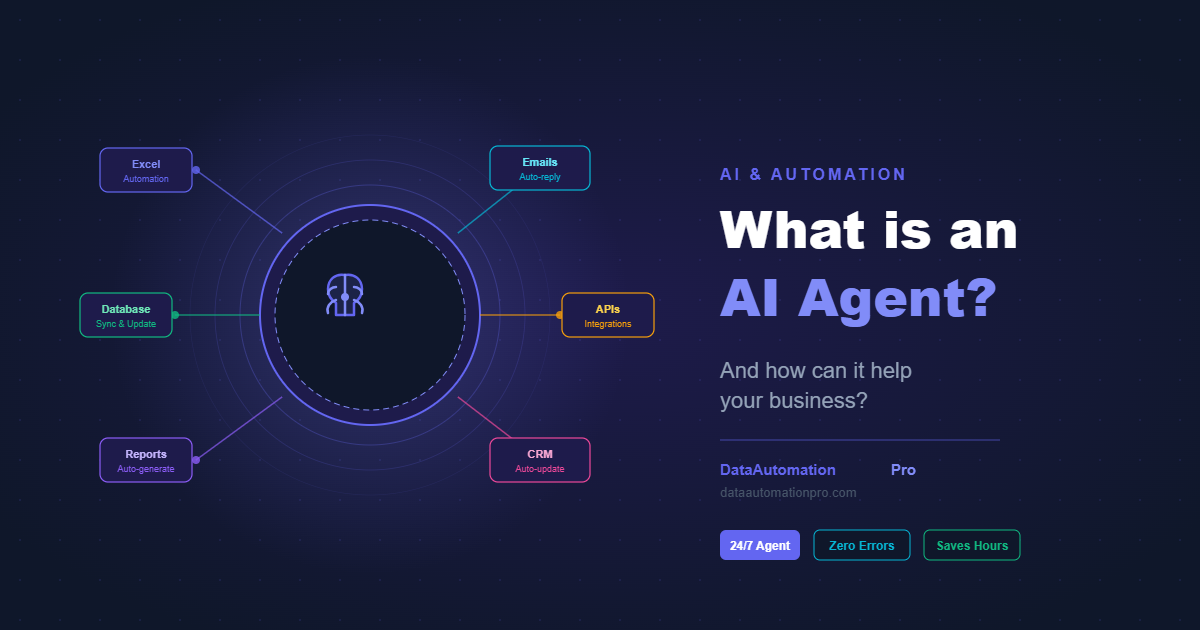
If you’re wondering what an AI agent for business actually is — you’re not alone. Every week, businesses waste dozens of hours on tasks that never change. However, AI agents are changing that, and in 2026 any business can use them.
Specifically, this guide explains what an AI agent is and how it works. Most importantly, it shows how it can save your business real time and real money.
What is an AI Agent for Business?
Simply put, an AI agent is a software program that can think, decide, and act on your behalf — without you having to manually trigger each step.
In contrast, unlike a simple automation tool that follows a fixed script (do A, then B, then C), an AI agent can:
- Understand a goal given in plain language
- Break that goal into steps on its own
- Use tools like email, spreadsheets, databases, and APIs to complete those steps
- Adapt when something unexpected happens
In other words, think of it like hiring a very fast digital assistant. It works 24 hours a day. It never makes typos and never forgets a step.
AI Agent vs Regular Automation: What is the Difference?
Many businesses already use basic automation — scheduled reports, auto-reply emails, or Excel macros. That is a great start. Nevertheless, there is a key difference:
| Regular Automation | AI Agent | |
|---|---|---|
| Follows fixed steps | ✅ Yes | ✅ Yes |
| Handles unexpected situations | ❌ No | ✅ Yes |
| Understands natural language | ❌ No | ✅ Yes |
| Makes decisions independently | ❌ No | ✅ Yes |
| Learns from context | ❌ No | ✅ Yes |
| Works across multiple systems | Limited | ✅ Yes |
As a result, a regular automation breaks if the data format changes. Instead, an AI agent figures out what to do next.
How Does an AI Agent Actually Work?
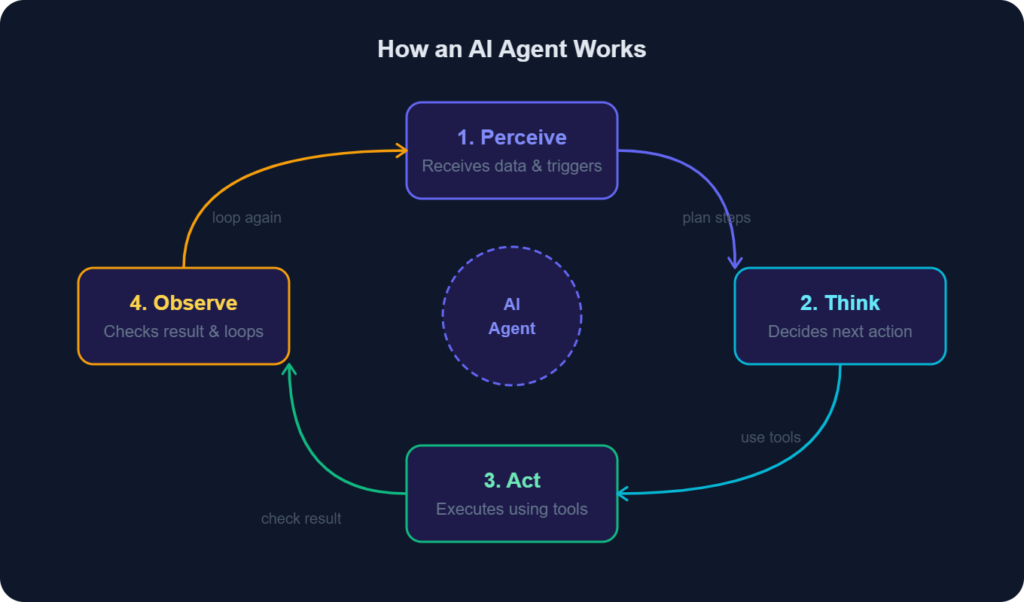
In practice, an AI agent follows a simple loop:
- Perceive — It receives information (a message, a file, a trigger, a database update)
- Think — It decides what action to take based on its goal and current context
- Act — It executes that action using tools (send email, update spreadsheet, call an API)
- Observe — It checks the result and decides if the goal is complete or if more steps are needed
As a result, this loop happens automatically, often in seconds, and can run thousands of times a day.
6 Real Ways AI Agents Can Help Your Business
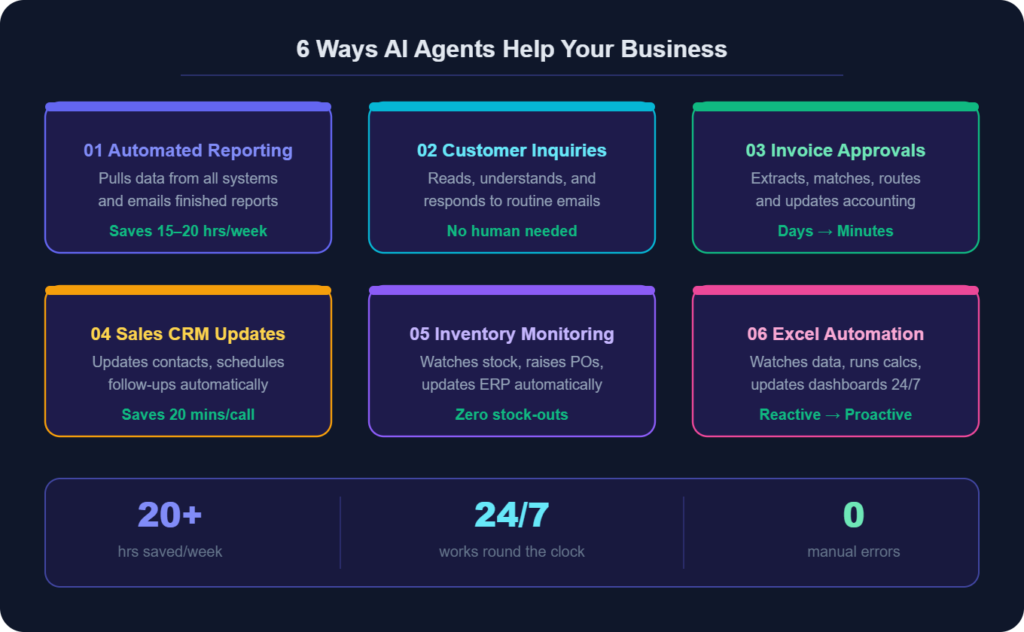
1. AI Agent for Automated Reporting
Instead of someone spending 3 hours every Monday pulling numbers from five systems and building a management report, an AI agent does it overnight. Additionally, it collects the data, formats it, and emails the finished report.
Real result: Operations teams at mid-sized businesses report saving 15–20 hours per week on reporting alone.
2. AI Agent for Customer Inquiry Handling
Essentially, an AI agent connects to your inbox. Then, it reads messages, checks your database, and sends a response automatically. All with no human help needed.
However, it sends complex issues to a human. Consequently, your team handles only what needs their skills.
3. AI Agent for Invoice and Approval Workflows
AI agents monitor your email for incoming invoices. They extract the key details, check them against purchase orders, and route them to the right approver. Then they update your accounting system once approved. As a result, a process that took days now takes minutes.
4. AI Agent for Sales and CRM Updates
For example, after a sales call a salesperson normally spends 20 minutes updating the CRM. Instead, an AI agent handles it automatically. It extracts action items, updates the contact record, schedules the follow-up, and sends the email.
5. AI Agent for Inventory and Supply Chain Monitoring
Similarly, an AI agent can monitor stock levels across your warehouse system. Identify items falling below reorder points, generate purchase orders, send them to suppliers, and update your ERP system — all without human input.
6. AI Agent for Excel and Database Automation
Additionally, for businesses running on Excel or custom databases, AI agents can watch for new data. They run calculations, update dashboards, and flag anomalies. Then they notify the right people automatically.
Which Businesses Benefit Most from an AI Agent?
An AI agent for business delivers the highest ROI for companies that have:
- High-volume repetitive tasks — data entry, report generation, email responses
- Multi-step approval workflows — invoices, HR requests, purchase orders
- Multiple disconnected systems — where staff manually copy data between tools
- Time-sensitive operations — where delays cost money or clients
For instance, many industries are seeing strong results. These include retail, manufacturing, logistics, and finance. Any SME running operations on spreadsheets can benefit too.
What Does an AI Agent for Business Cost?
Generally, the cost depends on complexity. A simple AI agent for business can be built for a few hundred dollars. For example, automating reporting from an Excel database is a common starting point. A more sophisticated agent costs more. It handles sales, invoicing, and customer communication. Typically, it sits in a higher price range.
However, the more important question is: what is the cost of not having one?
If your team spends 20 hours a week on tasks an AI agent could handle, the cost adds up fast. At $25/hour, that is $500/week. That is $26,000 per year — time that could be spent on growth.
How to Get Started With an AI Agent for Your Business
Fortunately, you do not need to rebuild your systems or hire a team of developers. The right approach is:
- Identify your highest-value repetitive task — the one that takes the most time and delivers the least value per hour
- Map the steps — write down exactly what a person does to complete it from start to finish
- Work with a specialist — an experienced developer can build and connect the agent to your existing tools
- Test and refine — start with one workflow, measure the time saved, then expand
For example, at DataAutomationPro we build custom AI agents. They connect directly to your existing Excel files, databases, APIs, and business systems. No rip-and-replace. In addition, no long IT projects. Ultimately, it is a working solution that saves your team real hours every week.
AI Agent for Business: Frequently Asked Questions
Do I need to change my existing systems to use an AI agent?
No. Instead, we build agents that connect to what you already have — Excel, Google Sheets, your CRM, your ERP, email, and more.
Is an AI agent secure?
Absolutely, when built properly. Moreover, your data stays within your own systems. Additionally, the agent only accesses what it needs to complete its task.
How long does it take to build one?
In most cases, simple agents can be ready in 1–2 weeks. However, more complex multi-system agents typically take 3–6 weeks depending on scope.
What if the agent makes a mistake?
Therefore, all agents we build include logging and error handling. They also include human escalation triggers. If something unexpected happens, the agent consequently flags it for human review rather than guessing.
Can a small business afford an AI agent?
Yes. In fact, most of our clients are SMEs, not large corporations. Moreover, the ROI is often clearest at the small business level. In short, one person wearing multiple hats can reclaim hours every day.
Conclusion
Clearly, AI agents for business are not science fiction. In fact, they are practical, affordable, and already being used by businesses of all sizes to automate the repetitive work that slows teams down.
Therefore, if your business runs on manual processes, an AI agent for business is one of the highest-ROI investments you can make in 2026.
So, are you ready to see what an AI agent could do for your business? Get a free consultation →
Published by DataAutomationPro | Excel automation, Power BI dashboards, AI agents and ERP systems — built for businesses that want to scale.